
01.29.26 Product Update
New Features
Attribute Mapping
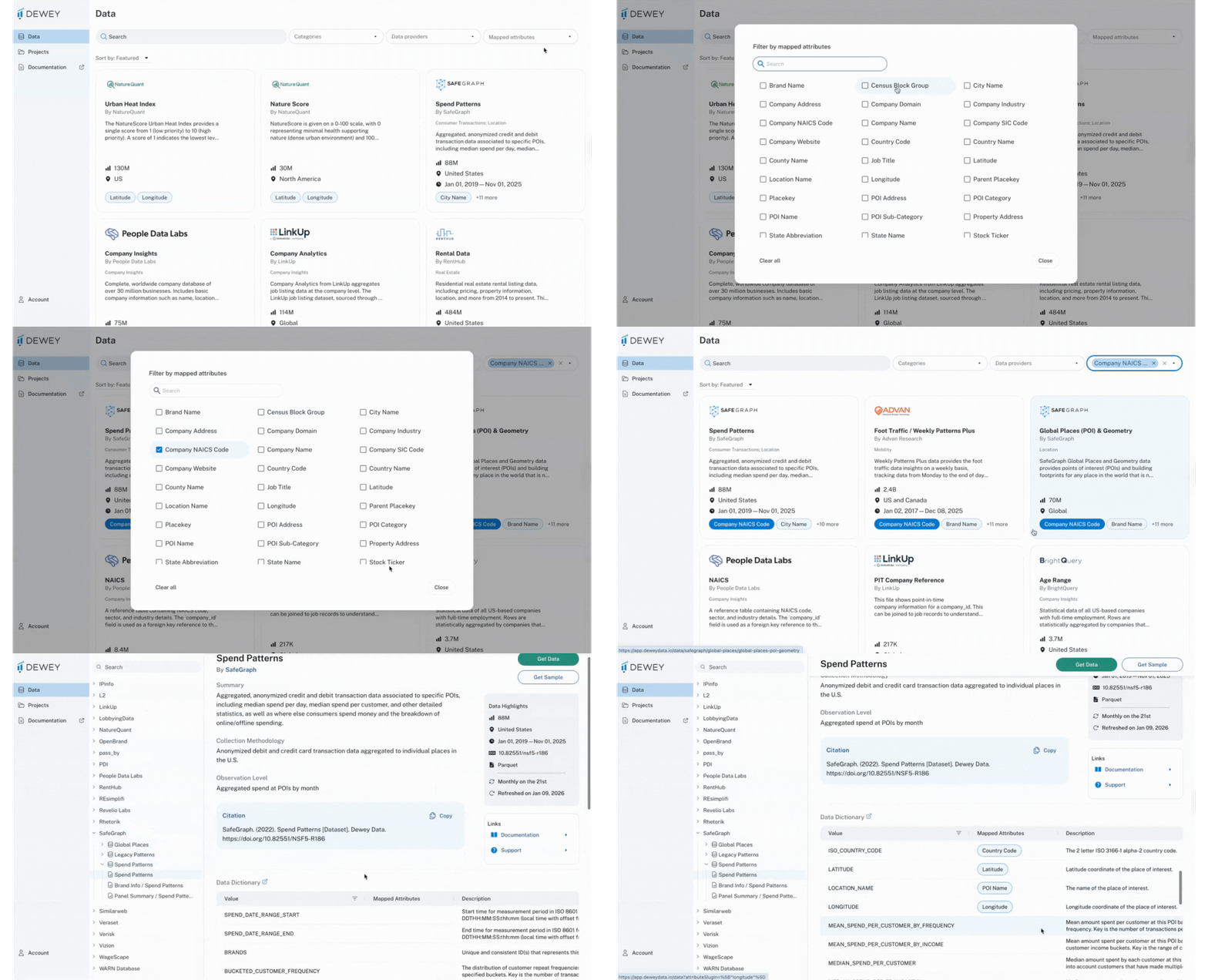
In the world of data that exists within the Dewey platform, there are hundreds of attributes across each dataset. Across all of these attributes are a select few that appear commonly among the datasets on Dewey. We've identified those attributes and mapped them to each dataset, so you can now easily see how each dataset relates to others based on shared attributes. For more, check out the mapped attributes sectionin the docs.
Extended Dataset Samples
You can now download samples from any dataset listed on the Dewey platform. This should enable you to explore the data structure, attributes, and quality before committing to a full download, making it easier to evaluate whether a dataset fits your research needs.
Export Usage Stats
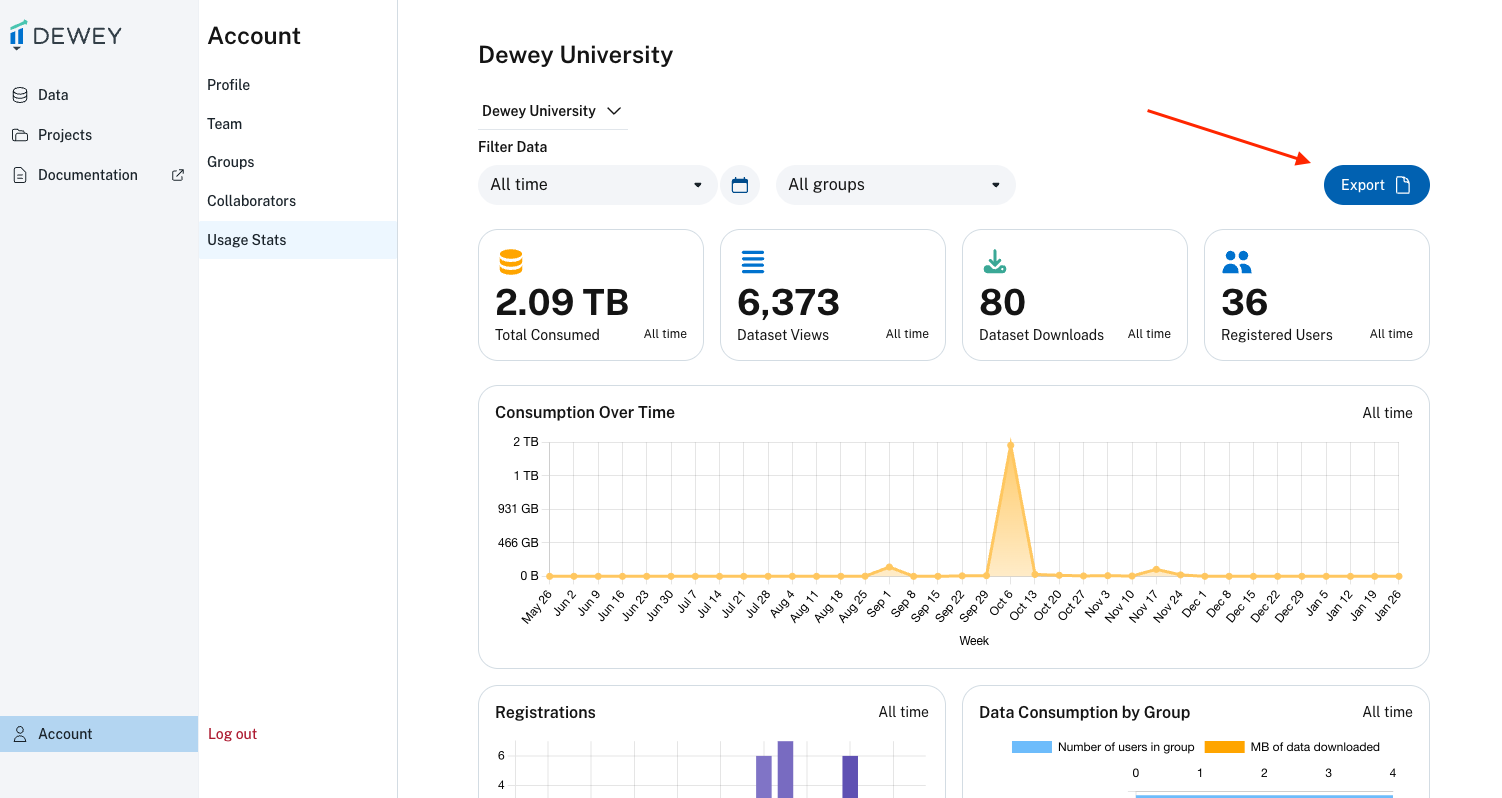
If you're an admin on an institutional account, you can now export the usage stats as a PDF or as individual CSVs. Simply navigate to the Account tab, select Usage Stats, and click Export. This makes it easy to share your university's usage of Dewey with key stakeholders as you evaluate your subscription.
Bug Fixes and Other Announcements
Improved Get Data Workflow
Based on feedback from users, we've made slight changes to the get data workflow to make downloading data more efficient. Now, you can download data immediately after it has been added to a project, versus having to navigate to the Projects tab, find the dataset, and then download the data.
Saved Datasets Deprecated
You may have noticed, but the Saved Datasets tab has been removed from the Dewey platform. This was an old feature that existed in place of projects. Now that you can add datasets to a project, the need to "save" a dataset no longer exists.